About This Shortcut
Normally, when you press the Enter key, Excel moves the cursor to the next cell. To insert a line break (i.e. a new line) inside a cell, you need to use a shortcut. Here at the steps:
(1) Move the cursor where you want to break the line
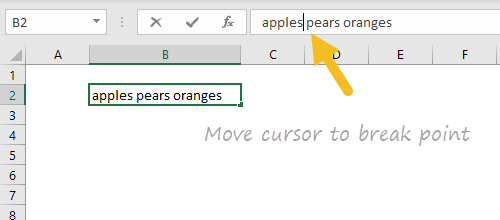
(2) Type Alt + Enter
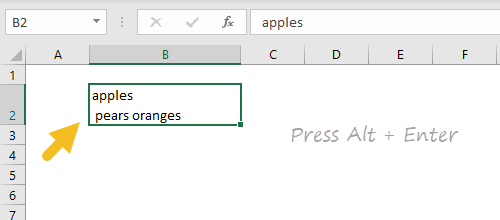
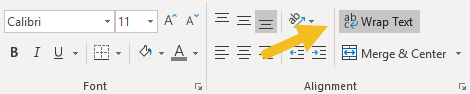
(3) Make sure “wrap text"is enabled to see lines wrap in cell:
Notes
- You can use this technique to make nested IF formulas easier to read .
- You can also enter a new line using a formula .
- Mac Excel 365 supports Alt + Enter. Otherwise see original shortcut above.
About This Shortcut
This isn’t really a shortcut, but it’s important to understand that pressing enter or return will complete a cell entry and move the cursor down by one cell by default. Using other keys (like the tab and arrow keys) you have the option to move the cursor in other directions after completing the entry in a cell.
